
How to Import Source Subtitles and Create Empty Target Lines with Preserved Timecodes in Sublandia Editor
Designed for creators. Free to use. Ready to scale.
Built by subtitlers. Powered by freedom!
Introduction
When translating or localizing subtitles, it’s crucial to maintain the timing of the original subtitles while having empty fields ready for translation.
Sublandia Editor allows you to import your existing subtitle file as a Source template and automatically create empty Target subtitles with the same timecodes as the Source. This ensures precise alignment, making translation and localization faster and more accurate. The empty Target subtitles appear in both the subtitle table and waveform view, ready for direct editing.
 Step-by-Step Guide
1. Create a New Project
Open the Dashboard in Sublandia Editor and click the New Project icon in the top-right corner.

2. Follow New Project Steps
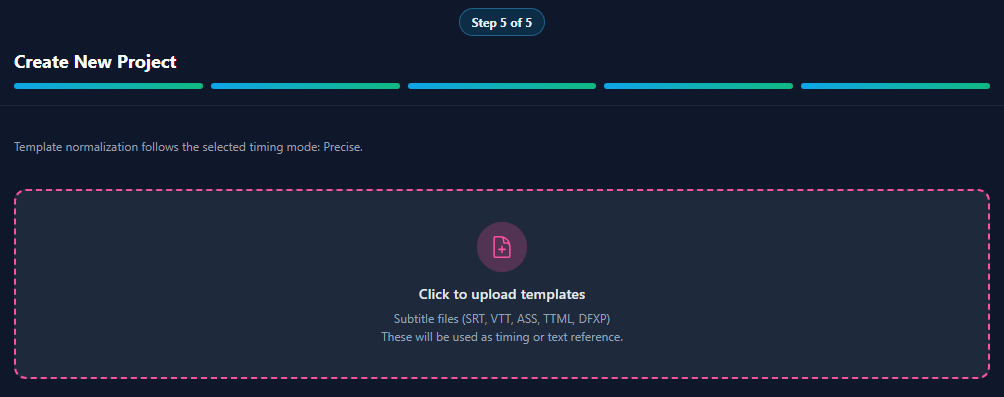
Follow the steps in the Create New Project Guide until you reach the step to upload a subtitle file or template. Upload the file you want to use as the Source template (SRT, TTML, or other supported formats).
3. Select Template Role
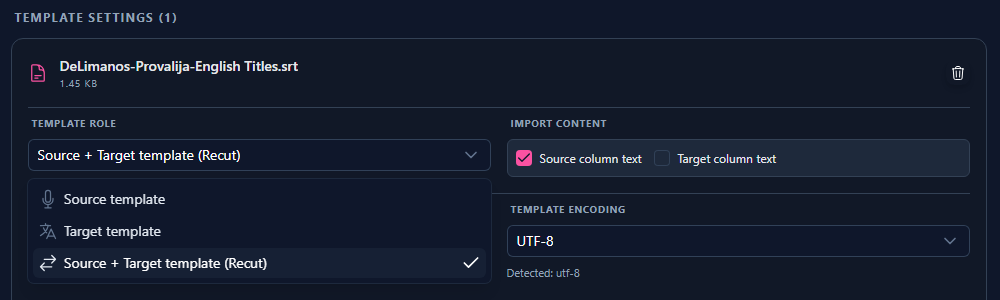
In the Template Role section, choose Source + Target Template (Recut).
4. Configure Import Content
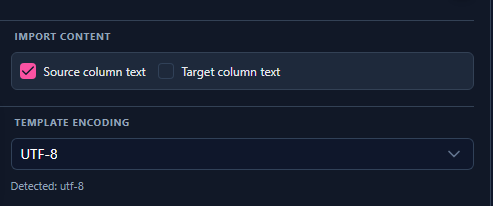
In the Import Content section:
- Check the box Source Column Text.
- Leave Target Column Text unchecked.
- Click Create Project, then Open in Editor.
5. Verify Empty Target Subtitles
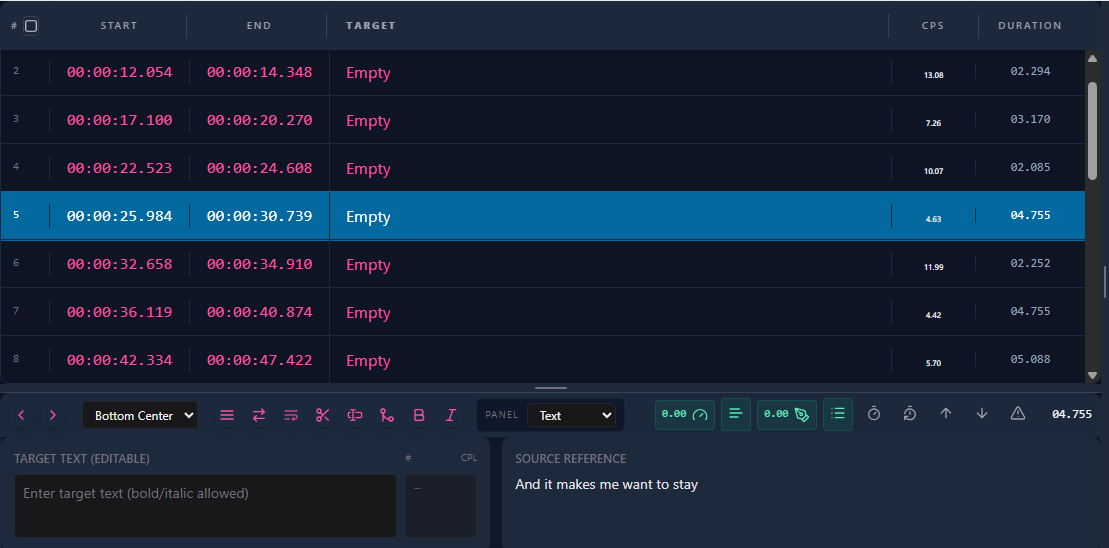
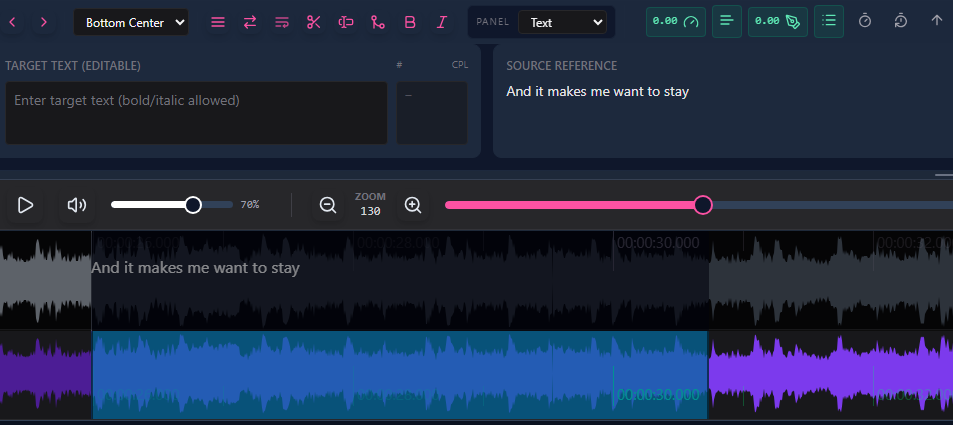
In the subtitle table, you will now see empty Target subtitles with timecodes perfectly matching the Source template. These lines are also accurately represented in the waveform view.
6. Start Translating
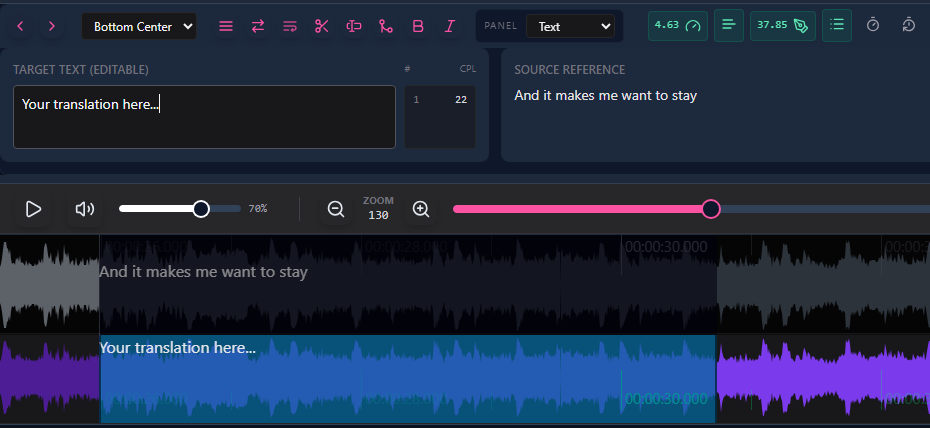
Select any Target subtitle line and begin typing your translation. The timecodes remain synchronized with the original Source, ensuring precise alignment for your video.
 FAQ
FAQ
What is the purpose of the Source + Target template workflow?
It allows you to import an existing subtitle file as Source and create empty Target subtitles with the same timecodes for accurate translation or localization.
Which subtitle formats can be used as Source templates?
Supported formats include SRT, TTML, DFXP, WebVTT, ASS.
Do Target subtitles retain the timing of the Source?
Yes, all Target subtitles inherit the exact timecodes from the Source template, ensuring perfect alignment.
Can I edit both Source and Target subtitles?
The Source subtitles are read-only to preserve original timing. You can edit the Target subtitles directly in the table or waveform.
Will this workflow affect export?
No. When exporting, Target subtitles keep the Source timecodes, and you can export in any supported format (SRT, TTML, DFXP, WebVTT, ASS).
Can this workflow improve professional subtitle localization?
Absolutely. Using empty Target subtitles aligned with the Source template saves time, ensures precision, and maintains consistency for professional subtitling workflows.
Something on your mind?
Contact us
We are social


